Agentic AI, already at work on your jobs
TrackOps runs restoration, trades and general contractor work on one record. Its agents read the drawings, draft estimates and bid packages, and cost the job as your crews capture it. Your people review and approve. Nobody needs AI training.
I run a general contractor
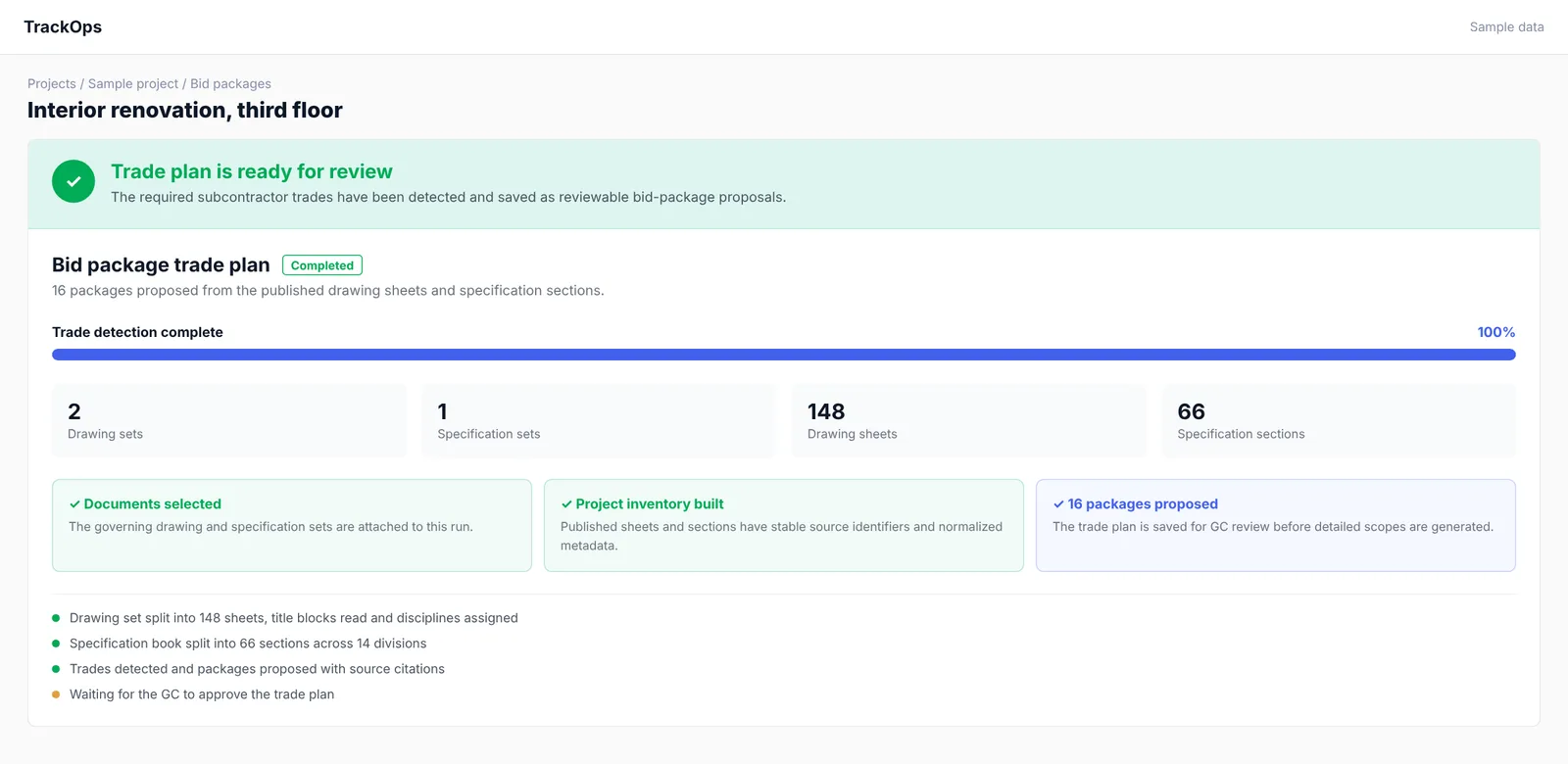
Agents split the drawing set and draft the bid packages. Your precon team approves.
TrackOps for GCsI run a restoration company
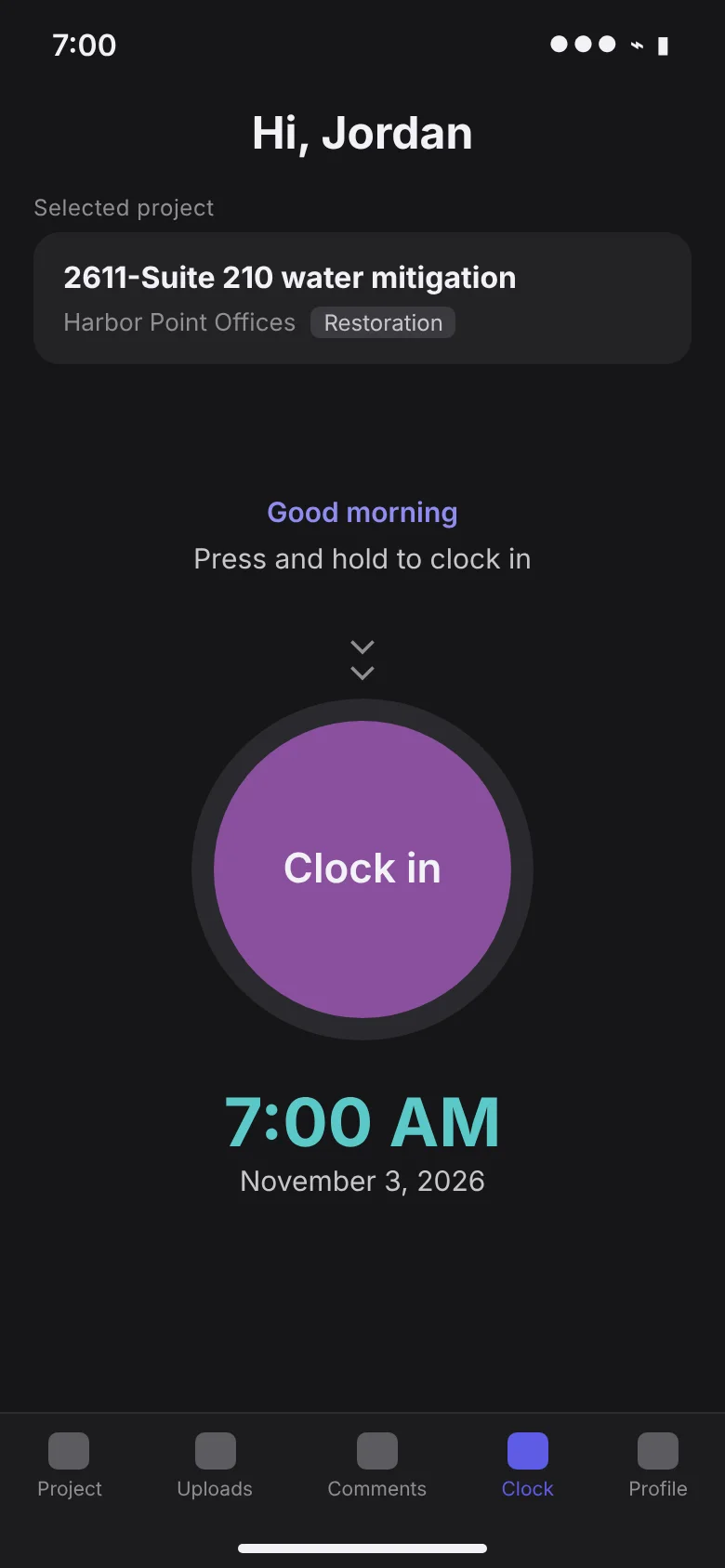
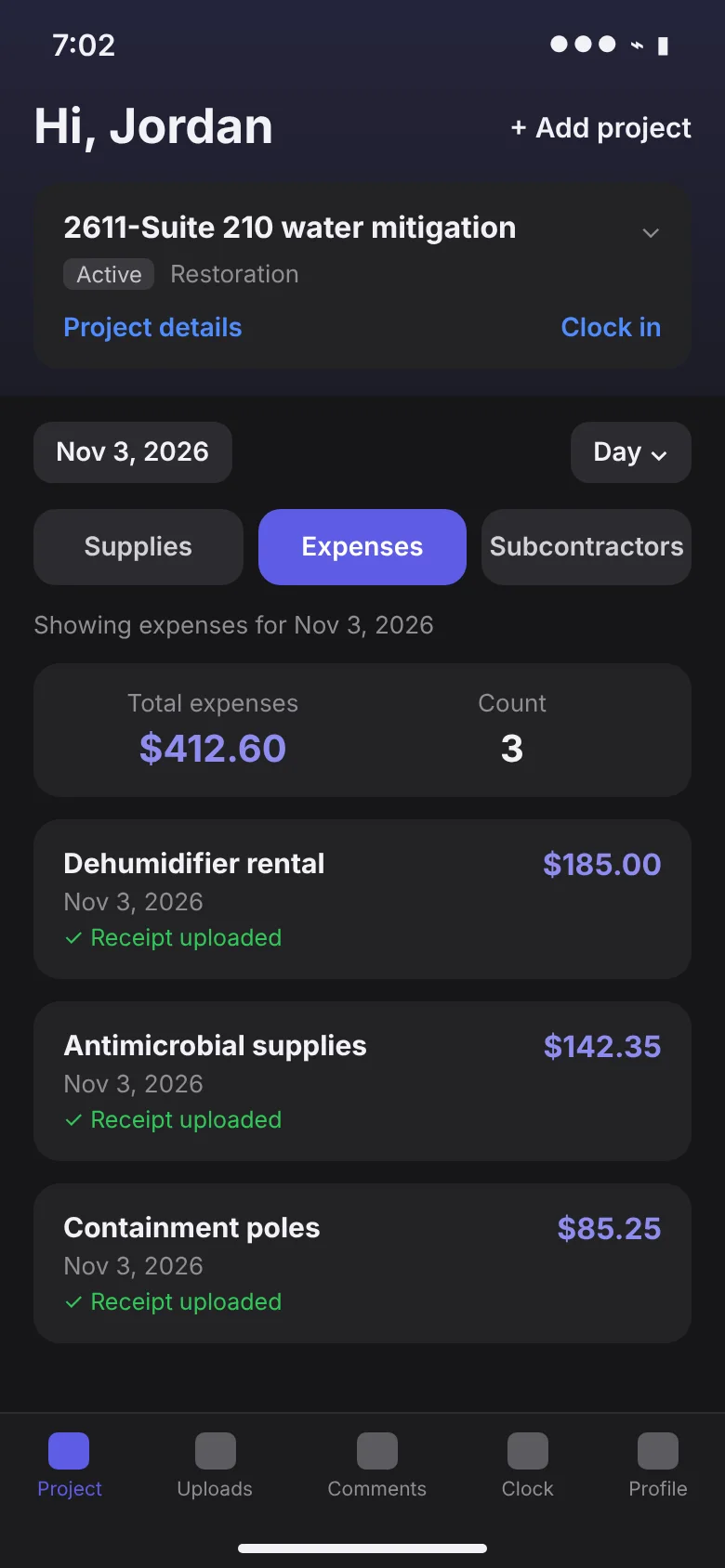
Crews capture the job in the field and job costing stays current to the minute.
TrackOps for restorationI'm a trade or subcontractor
Join free, then bid with the estimates you build in your own company.
TrackOps for subcontractorsAI your team never has to learn
Most companies are told to train their people on AI. TrackOps builds the agents into the work instead, so using TrackOps is using AI.
The usual way
- Buy AI tools and seat licenses
- Train every employee, subcontractor and collaborator
- Hope people change how they work
- Measure adoption instead of results
The TrackOps way
An agent drafts
An estimate from the walkthrough, quantities from the plans, bid packages from the drawing set.
Your team reviews
In the same screen they already work in, with the sources the agent used.
A person approves
Nothing an agent drafts goes out until someone on your team signs off.
Tailored three ways
One platform, set up for how your kind of company works.
General contractors
Drawings, specifications, addenda, RFIs, submittals, change events, contracts, meetings and punch items, with document and bid agents that draft the work your precon team used to start from scratch.
TrackOps for general contractors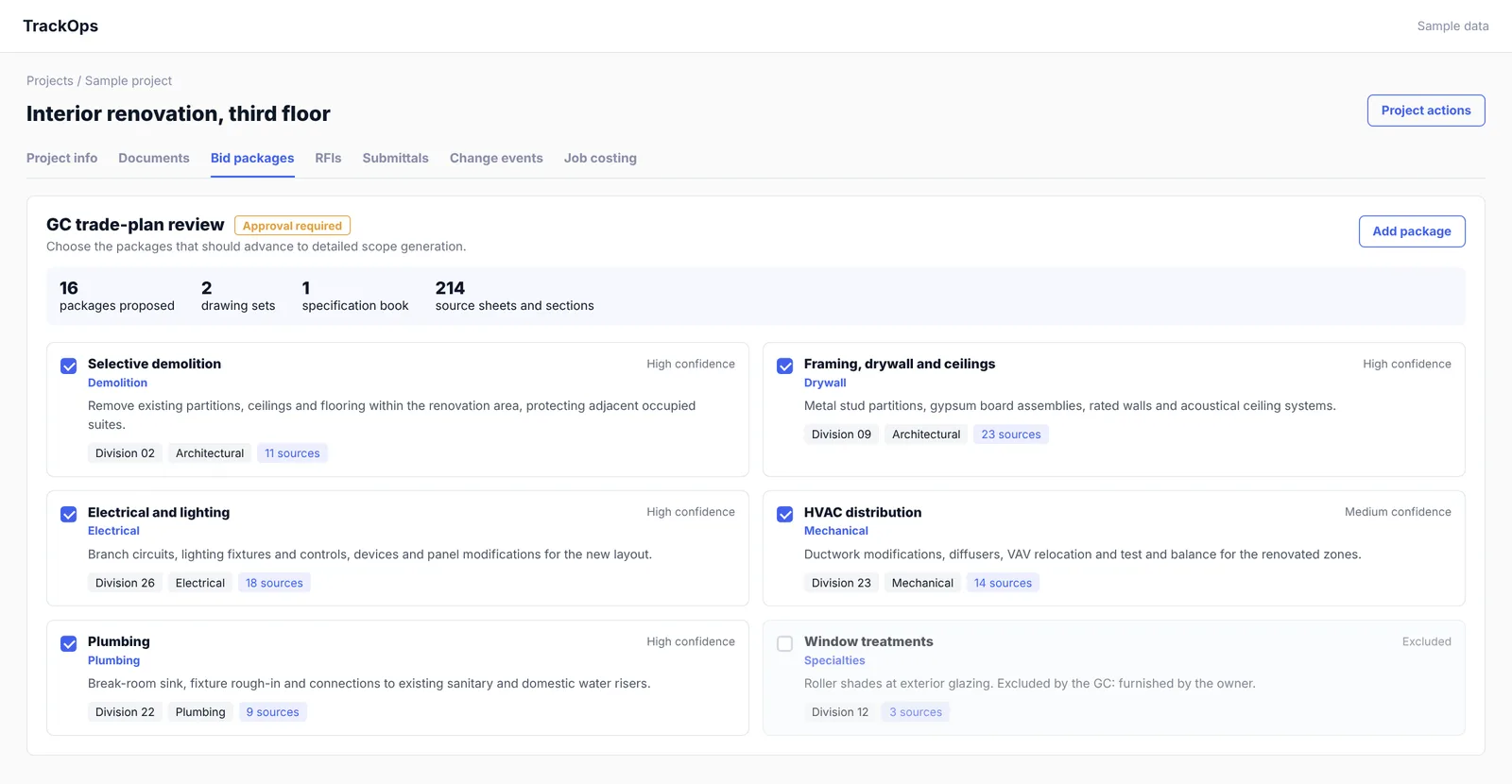
Restoration
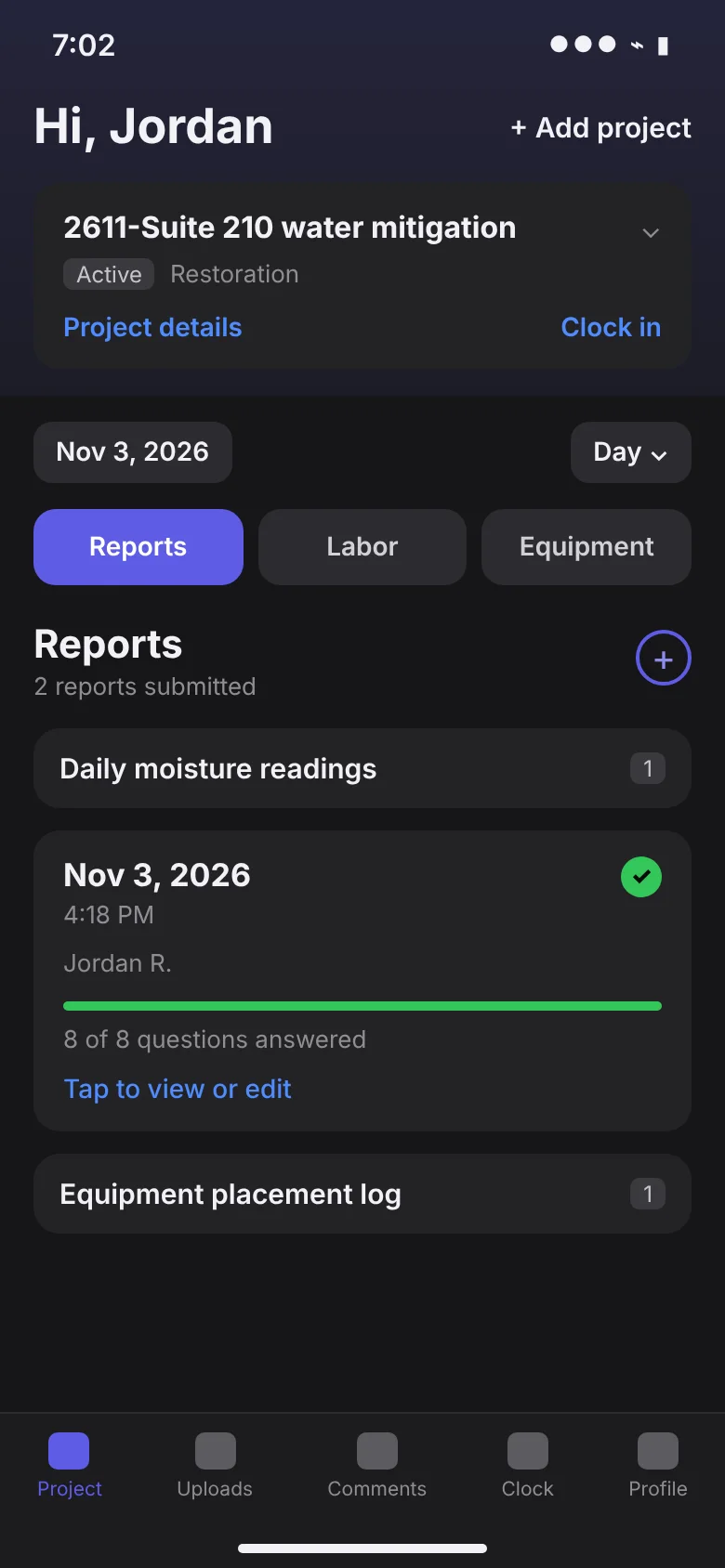
From the emergency call through drying, reconstruction and the final invoice: crews clock in and report from the field, job costing stays current, and the customer signs in the app.
TrackOps for restoration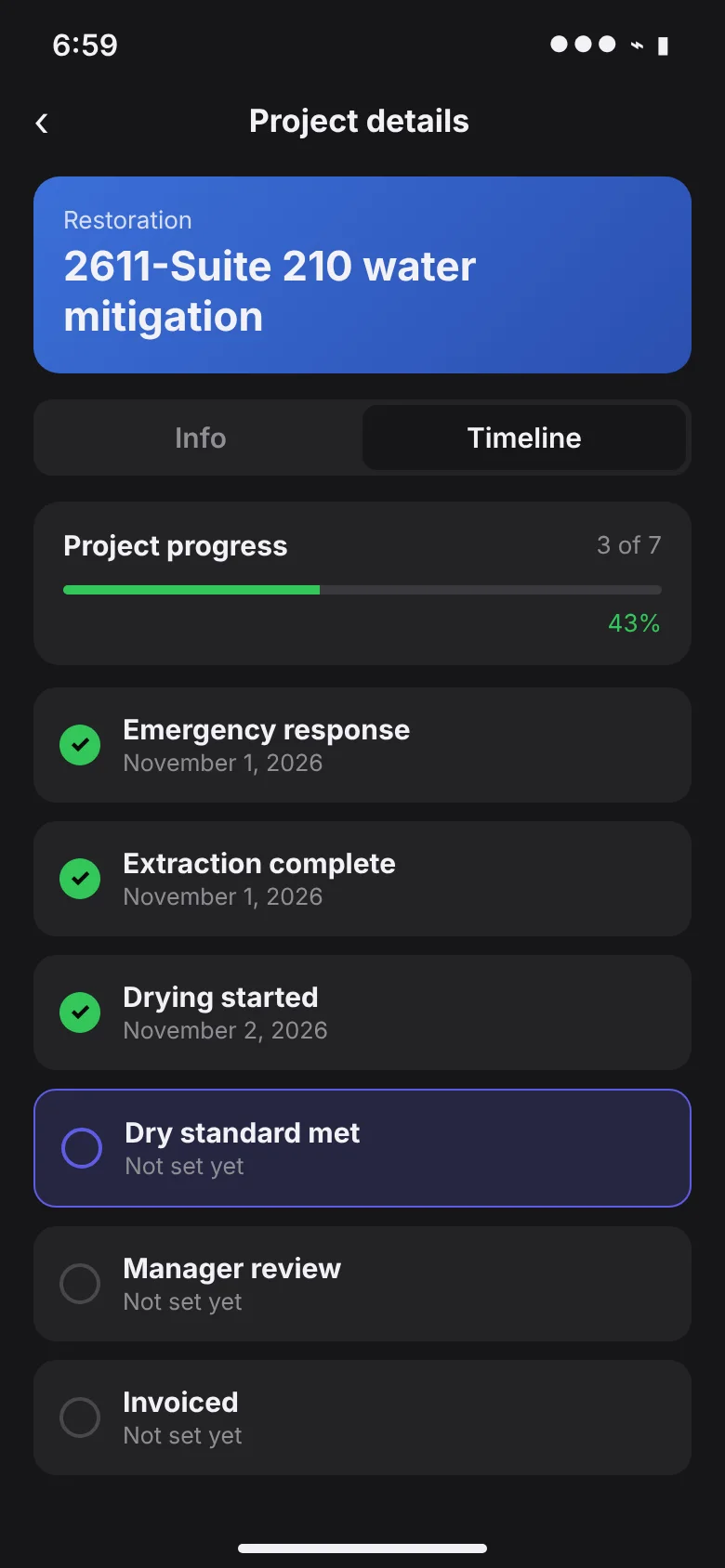
Specialty trades and subcontractors
Keep insurance, licenses and tax documents current, bid on clearly scoped packages, and invoice against the work. Add TrackOps Estimating to price every job in your own company and send that estimate to the GC as your bid.
TrackOps for subcontractors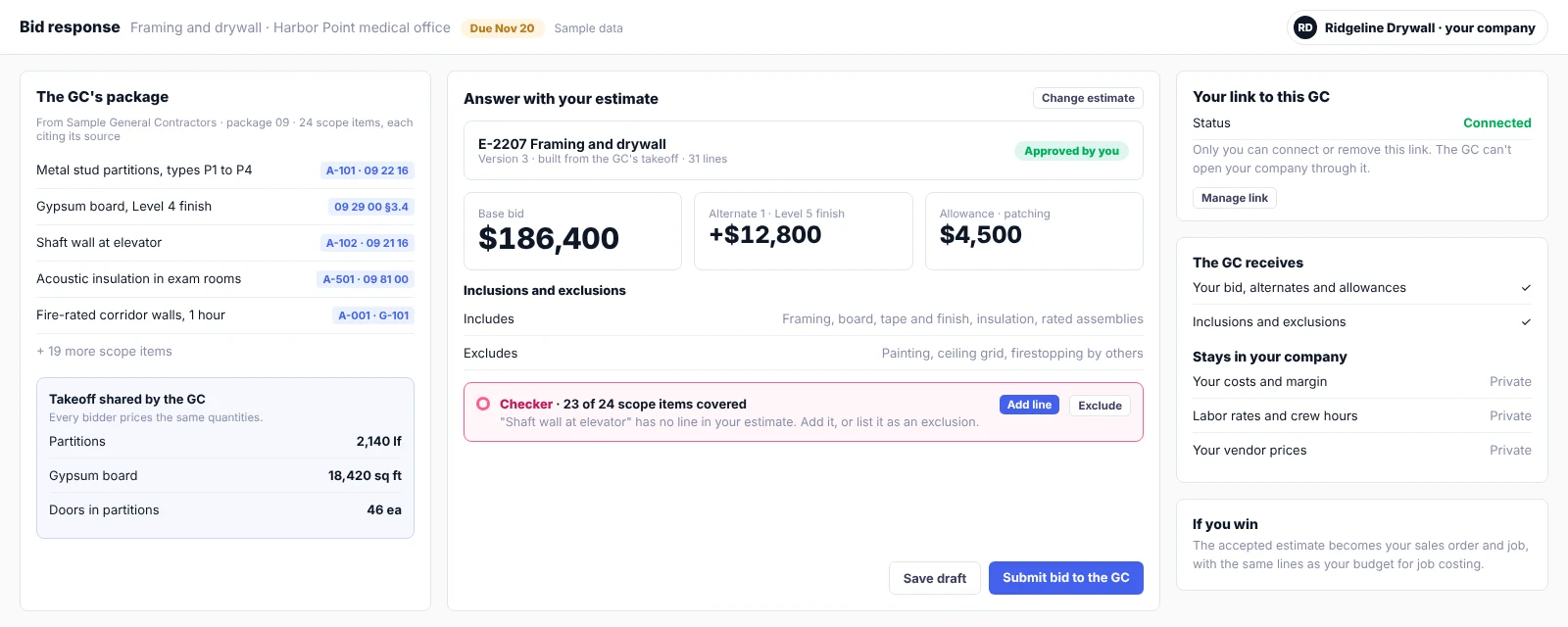
TrackOps Estimating
TrackOps Estimating: agents draft, estimators approve
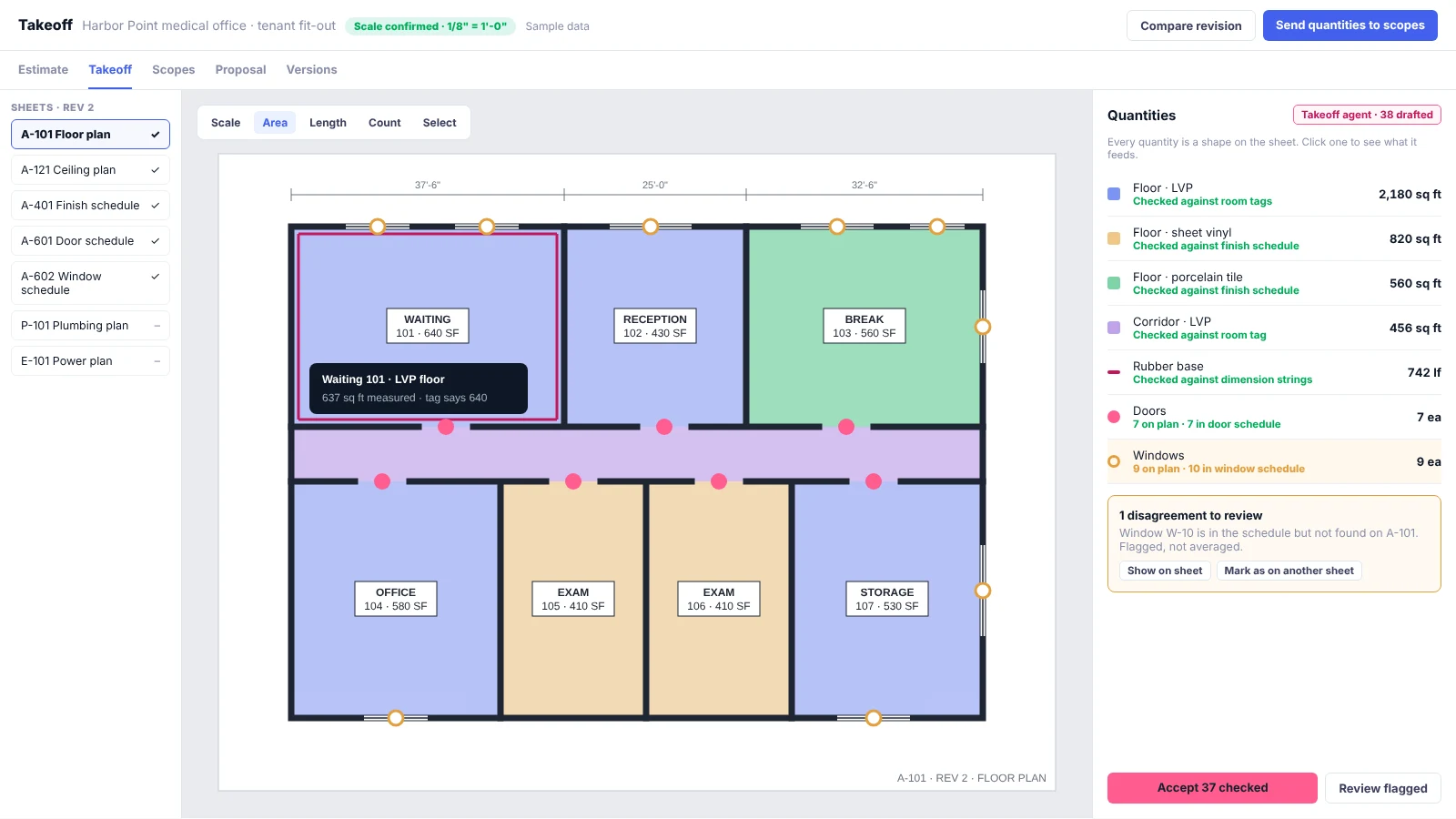
Price from your own book and your vendors, take quantities off the plans with AI takeoff you can check on the sheet, and turn the accepted estimate into the sales order, the job and the invoice.
Explore TrackOps Estimating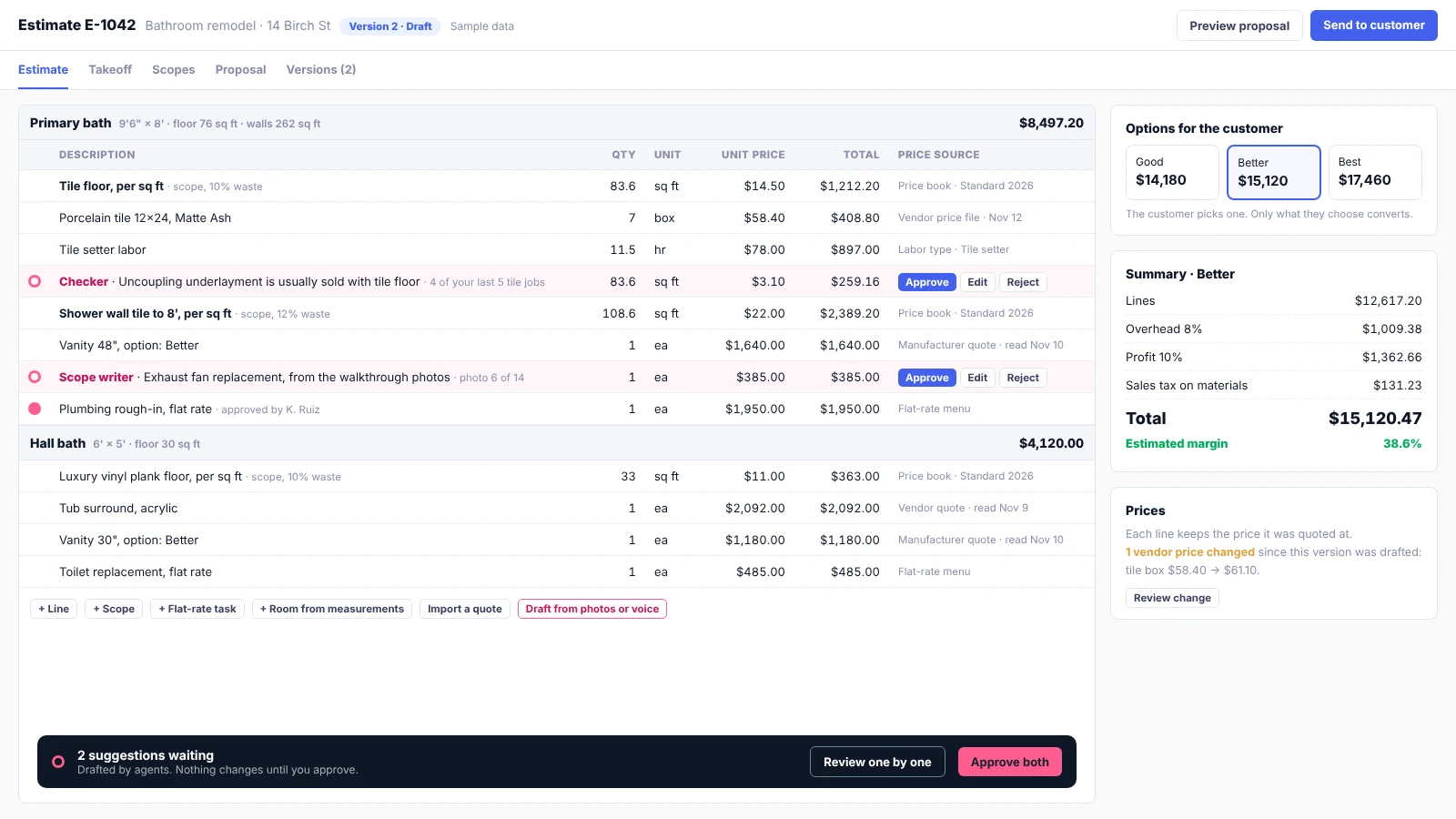
Agents that start the work, people who finish it
Your precon team reviews a draft instead of building every package from scratch. Nobody has to learn a new AI tool; the agents work inside the project.
The document agent splits the set
Drawing sets become sheets with their title blocks read; spec books become sections by division.
The bid agent proposes packages
Trade packages and scopes drafted from the drawings and specs, each with citations back to the source.
The GC approves
Your team edits, combines or excludes packages, then approves before anything goes to bidders.
What every TrackOps company gets
The shared core under all three setups, so restoration, trades and GC work can live in one company's system.
Estimating
Estimates priced from your book and your vendors, drafted by agents and approved by your estimators, carried into the job.
Projects on one record
Customer, location, staff, subcontractors, documents, time and costs live on the project, not in separate tools.
Mobile field app
Crews clock in to the job, file daily reports, upload photos and receipts, and chat with the office.
Live job costing
Labor, equipment, materials and subcontractor costs roll up as they are captured, with margin by project.
eDocs and signatures
Work authorizations, field forms and approvals as fillable documents that customers and crews sign in the app.
Subcontractor management
Onboarding, insurance, licenses, trades, markets and invoices for every outside crew.
Billing and accounting
Time-and-materials or fixed-price invoices, phase billing, Stripe payments and QuickBooks sync.
Customer portal
Customers see status, sign documents, view photos and download invoices without calling the office.
Roles and permissions
Each person sees what their role needs, from owner to temporary crew member.
Several companies, one sign-in
People who work across companies switch between them without mixing any company's data.
See TrackOps on your kind of work
In 30 minutes we'll walk through how your projects run today and show where TrackOps and its agents would change the day.